Coaching tools
Basketball practice planner built on your drill library
Build a practice from the drills you already trust, set time, sets, reps and rest for each block, and reuse the plan across groups and seasons.
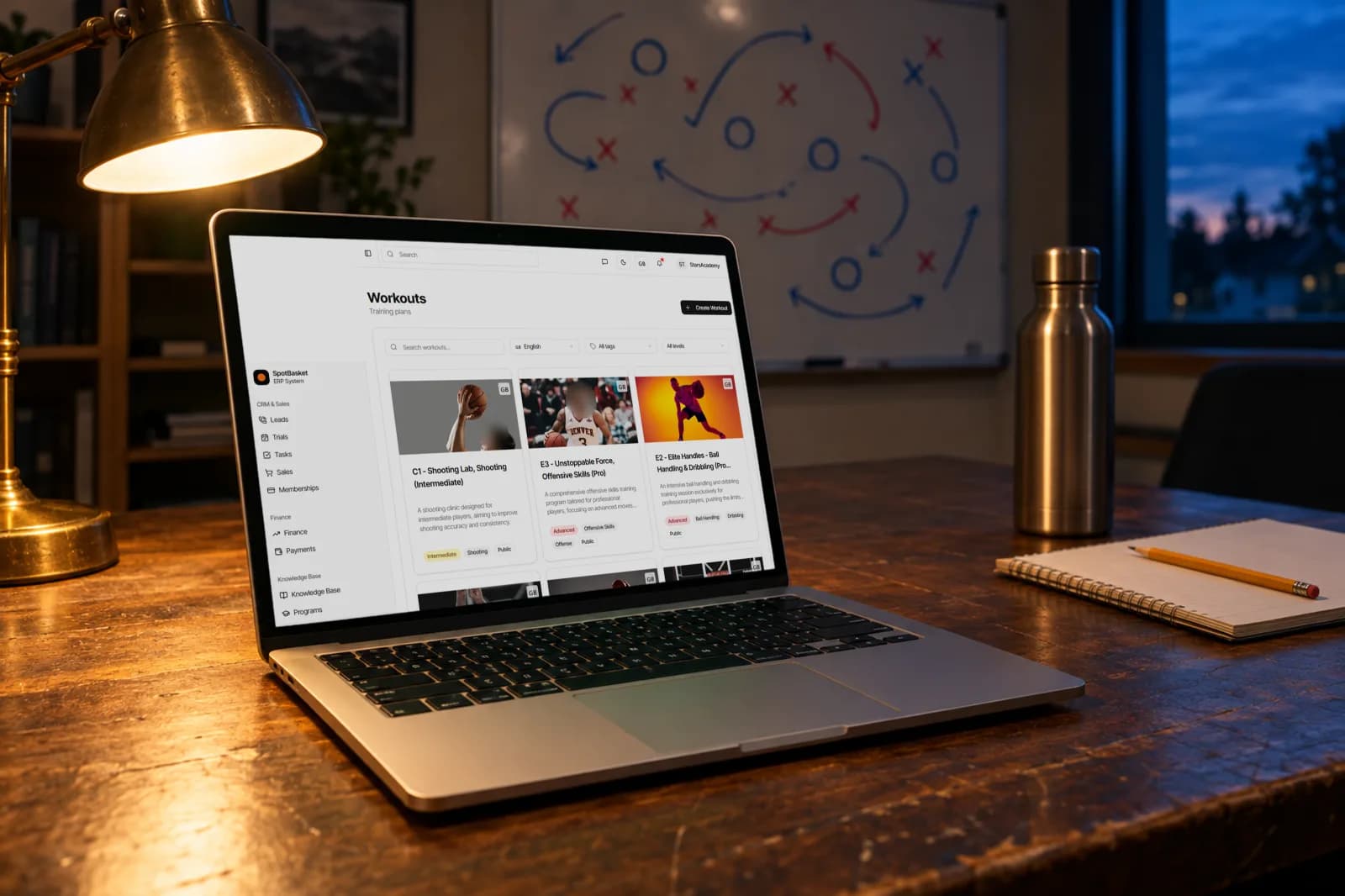
Build a practice from the drills you already trust, set time, sets, reps and rest for each block, and reuse the plan across groups and seasons.
SpotBasket Practice Planner is the workouts module of SpotBasket OS. Coaches build basketball practice plans from drills in the club library, set duration, sets, reps, rest and notes for each drill, and label the plan by difficulty, age range, player count, equipment and tags. Plans can be reused, duplicated and shared with players.
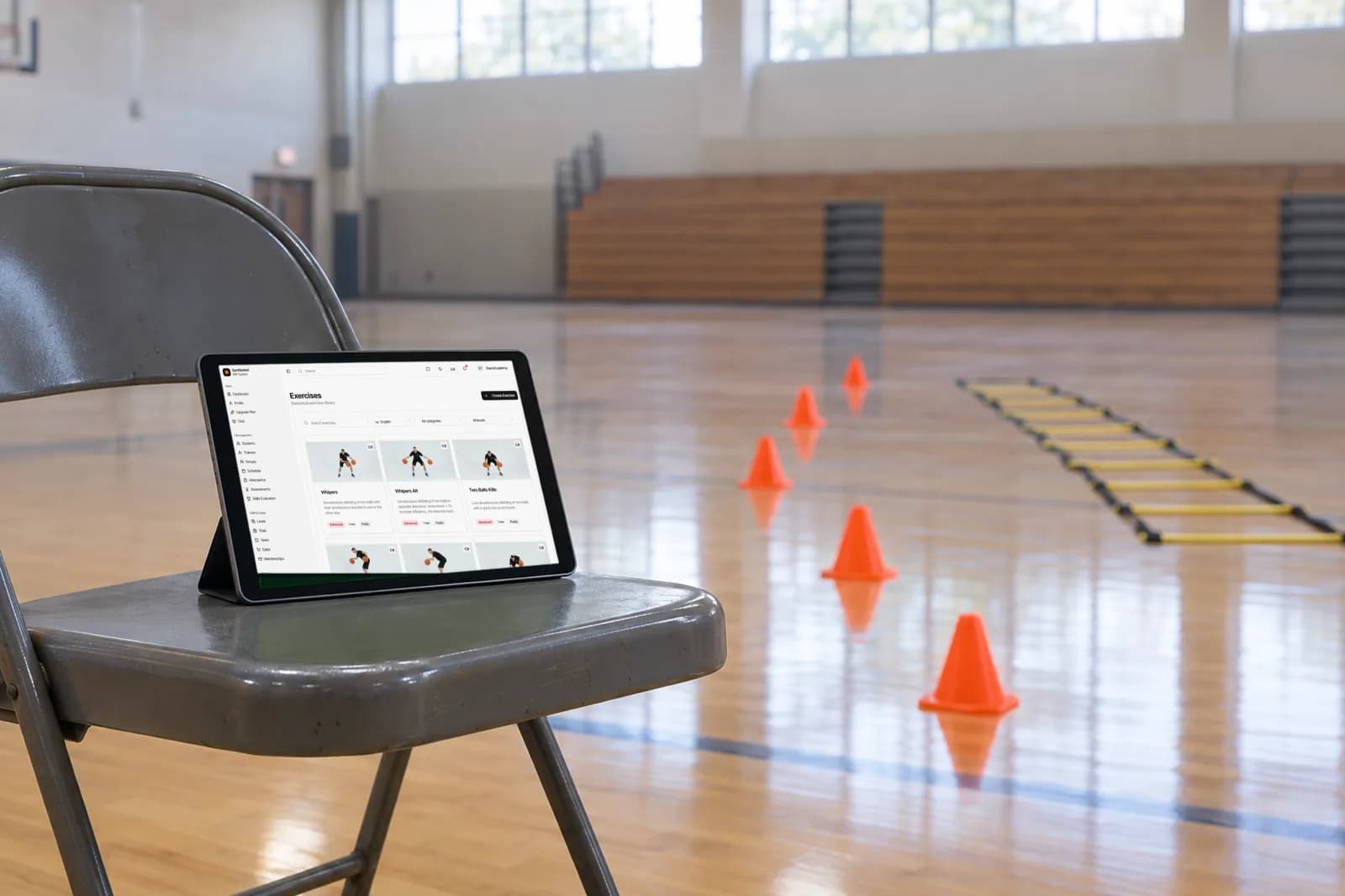
Add drills from your drill library in order, so every block links to its video, diagram and description.
Set minutes, sets, reps, rest in seconds and a coaching note for each drill in the plan.
Tag the plan with difficulty, age range and player count, such as a U12 beginner session for 10 to 15 players.
List the equipment the whole practice needs, so the court is set up before players arrive.
Pick from standard tags or add your own, then filter plans by tag, category and difficulty.
Turn on player access to give athletes a basketball workout plan they can follow on their own.
Start with the goal of the session and the group in front of you, then pick drills that build toward it: warm-up, skill work, a competitive segment and a cool-down. In SpotBasket OS you add those drills from the library in order and set minutes, sets, reps and rest for each, so the plan doubles as a timeline you can run from a tablet.
Each drill in the plan keeps its video, diagram and description, and you can add notes such as which cue to emphasize or how to regress it for younger players. The total duration, equipment and player range are stored on the plan, which makes it a real basketball practice plan template rather than a list of names.
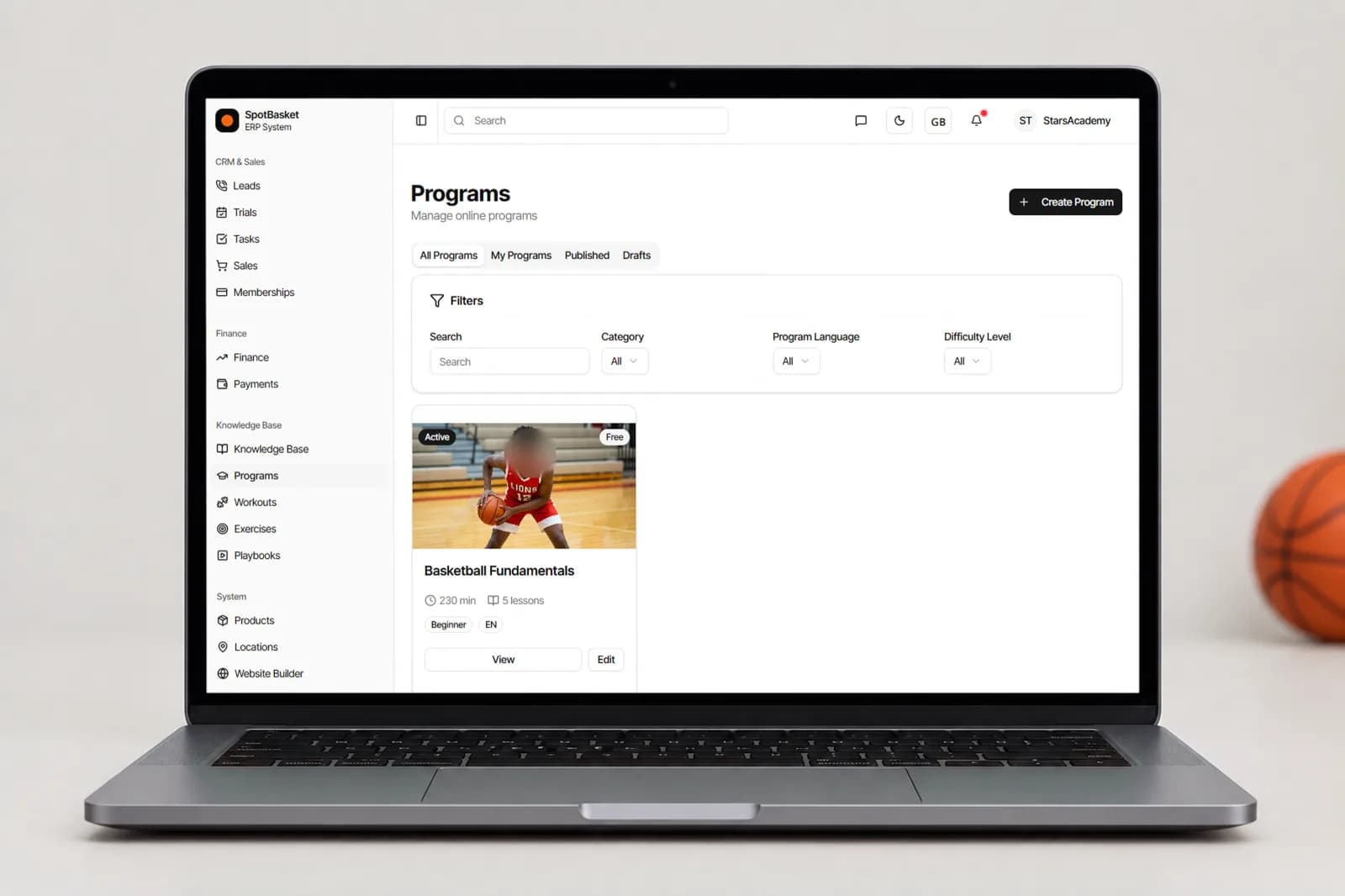
Good practices get repeated. Save a plan once and it stays in the workouts library, searchable by name, category, difficulty, tags and language. A coach taking over a U10 group can open the plans that worked last season instead of starting from a blank page, and head coaches can keep a consistent curriculum across every team in the program.
Plans can also go to players. Turn on player access and the workout appears in the athlete's account with every drill and video, which is useful for off-season work, individual sessions or a player returning from injury. Parents of younger players see the same plan and know what their child is supposed to practice.
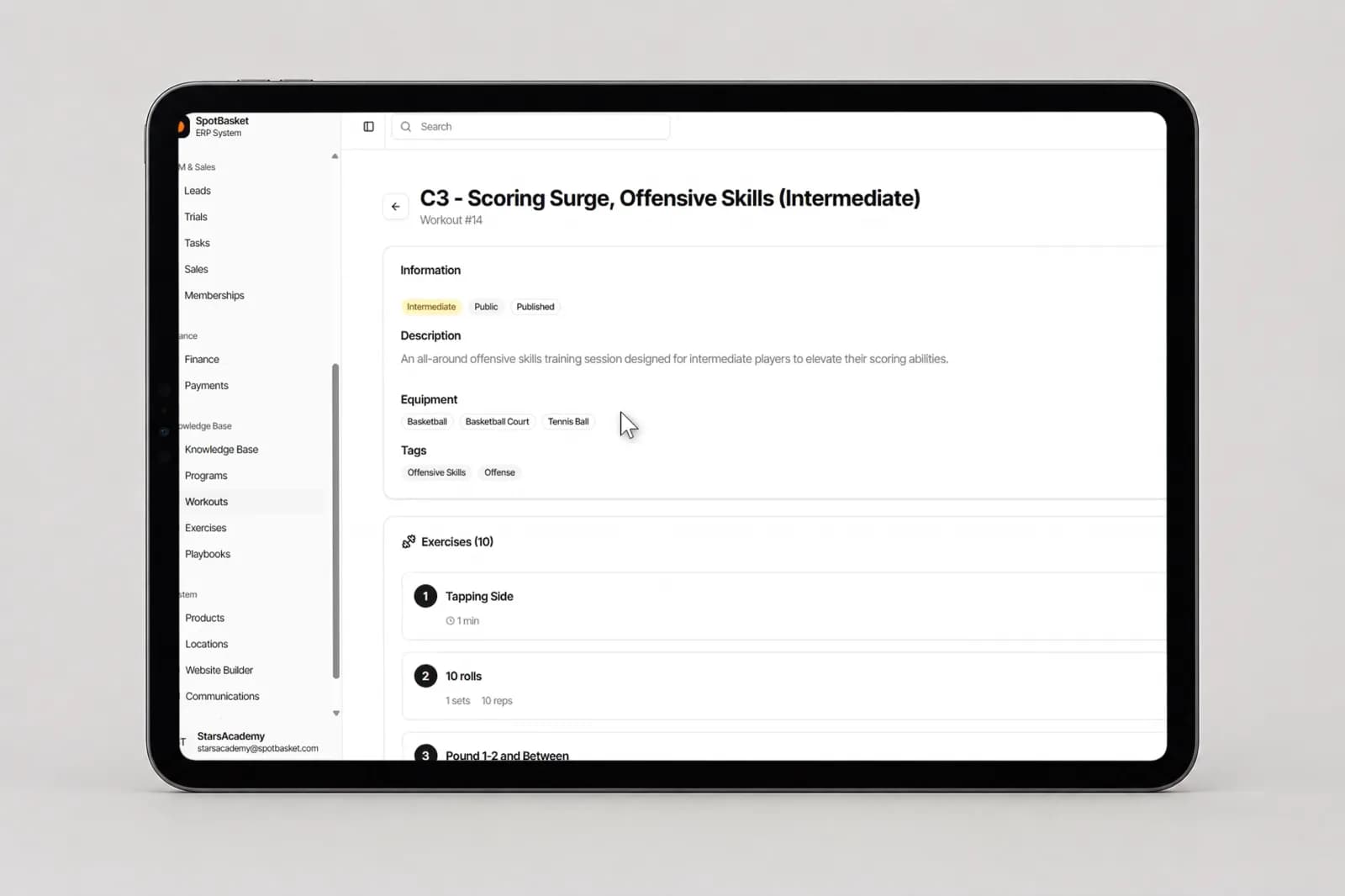
A good workout plan is specific enough that another coach could run it. That means a clear name such as “Morning workout for U12”, a short description of the goal, a difficulty level, an age range and a player count range. SpotBasket OS asks for each of these, so plans stay comparable and easy to filter as the library grows.
Practical details save time on the court: the equipment list tells the first coach in the gym what to set out, and a cover image and optional video give players a preview of the session. Tags, both standard ones and your own, group plans by theme, so you can pull every conditioning or shooting workout in a few clicks.
| Without SpotBasket OS | With SpotBasket OS | |
|---|---|---|
| Writing the plan | Notes app or index card the night before | Drills added from the library with times and reps |
| Explaining drills to assistants | Talking it through before practice | Each block links to its video and diagram |
| Reusing a good practice | Lost in an old notebook | Saved in the workouts library and searchable |
| Keeping teams consistent | Every coach plans differently | Shared plans by age range and level |
| Home workouts | Long messages with links | Plan shared to the player's account |
Create your account at app.spotbasket.com and add the coaches who plan practices.
Add the drills you use most, with video and tags, so they are ready to drop into plans.
Open Workouts, create a plan, add drills in order and set minutes, sets, reps and rest for each.
Run the plan at practice, reuse it with other groups and share it with players when it helps.
A basketball practice plan should include the session goal, a warm-up, skill blocks, a competitive segment and a cool-down, each with a time. SpotBasket Practice Planner stores those blocks as drills with minutes, sets, reps, rest and notes, plus the age range, player count and equipment for the whole session.
Yes, any practice plan saved in SpotBasket OS works as a template. Build it once, then duplicate or reuse it for another group and adjust the drills or times. Plans are tagged by difficulty, age range and category, so coaches can start from a proven structure instead of a blank page.
Most youth basketball practices run 60 to 90 minutes, with shorter blocks for younger players. SpotBasket OS does not force a length; you set minutes for each drill and the plan records a total duration, which makes it easy to see whether a session fits the gym time you have.
Yes, players can follow a workout plan at home when you enable player access. The plan then appears in their SpotBasket OS account with each drill, its video and your notes on sets and reps. It works for off-season programs, individual training and players who miss a session.
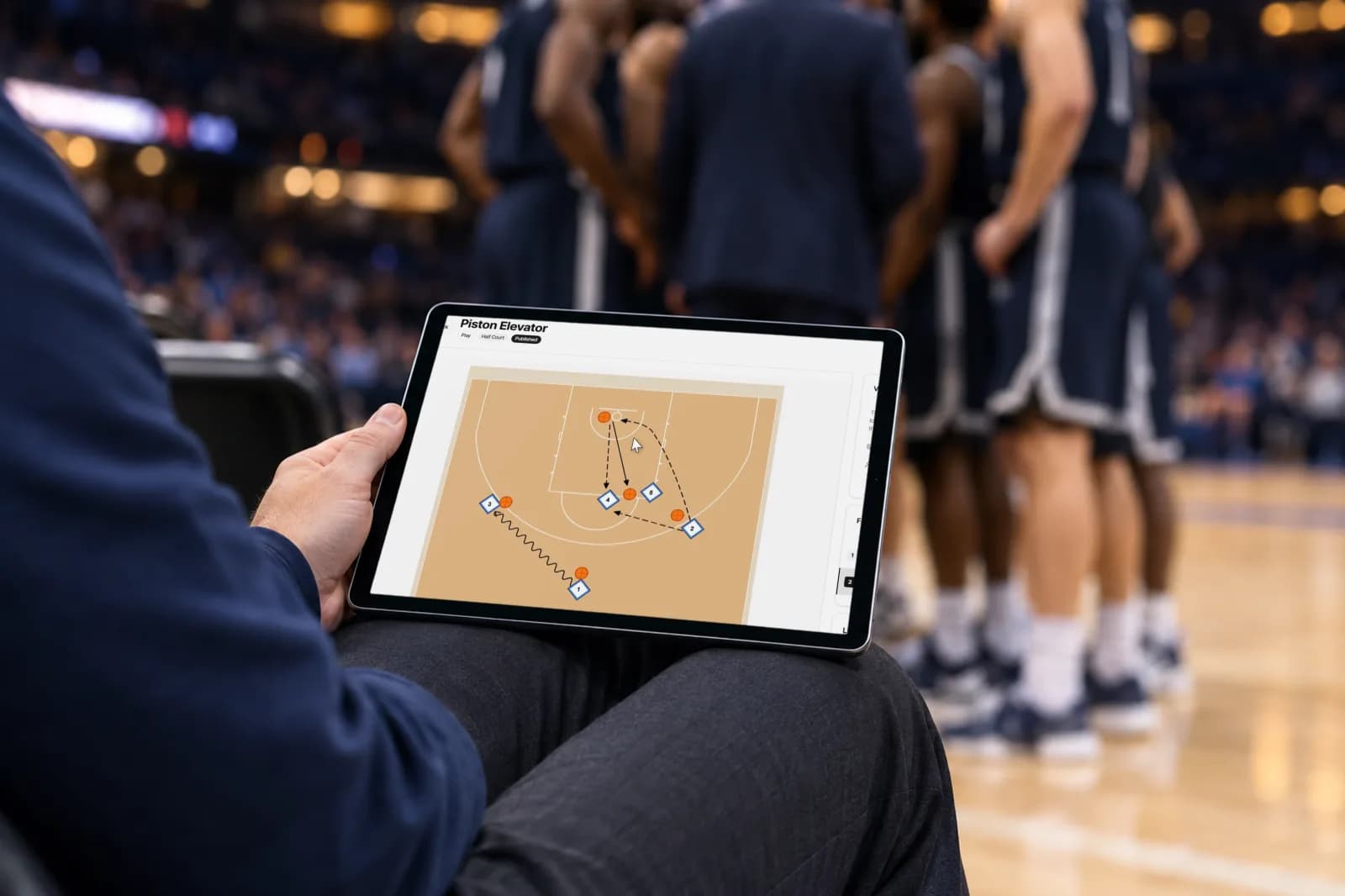
Yes, through the drills in the plan. Plays drawn in the Playbook Maker can be attached to drills in the drill library, and those drills carry the plays into any practice plan that uses them. Coaches running the practice see the animated diagram right next to the drill.
You can start SpotBasket OS for free and try the practice planner with your own drills. There is no monthly fee and no student limit: the only cost is 3% of payments made online through SpotBasket OS on any plan, and cash payments are free.
Tell us how your club works today. We will show the modules that matter to you — groups, schedule, payments, player development and coaching tools — in a 30-minute call.