Business & growth
CRM for sports academies that turns trial classes into players
Every inquiry lands on one board, trial classes are booked into real sessions, and you can see how fast your team replies.
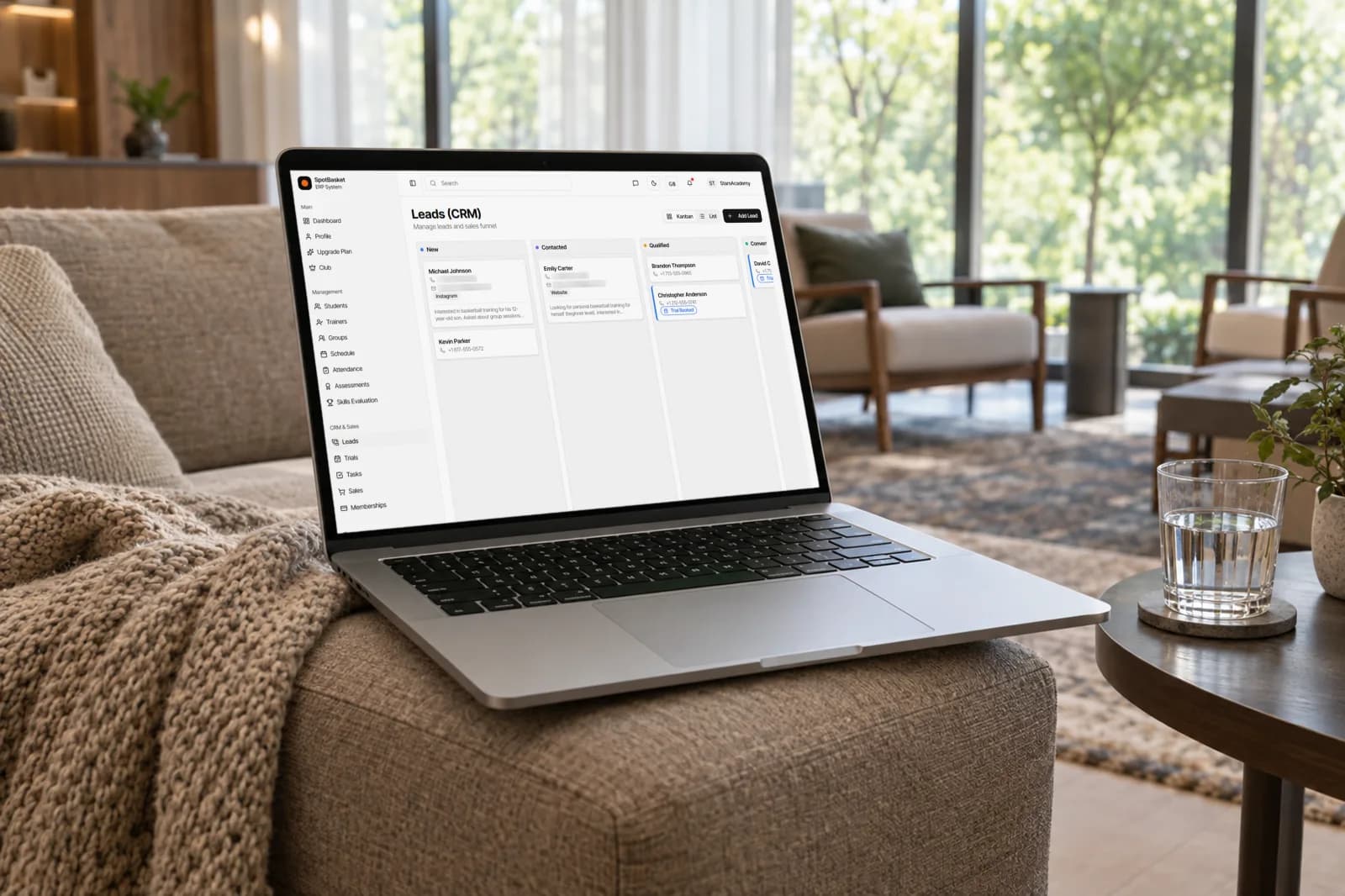
Every inquiry lands on one board, trial classes are booked into real sessions, and you can see how fast your team replies.
SpotBasket Leads & Trials is the sales CRM in SpotBasket OS. Inquiries from the club website registration form or added by staff move through New, Contacted, Qualified, Converted or Lost on a kanban board. Staff book trial classes into upcoming group or individual sessions, mark attendance or no-shows, and track response times.
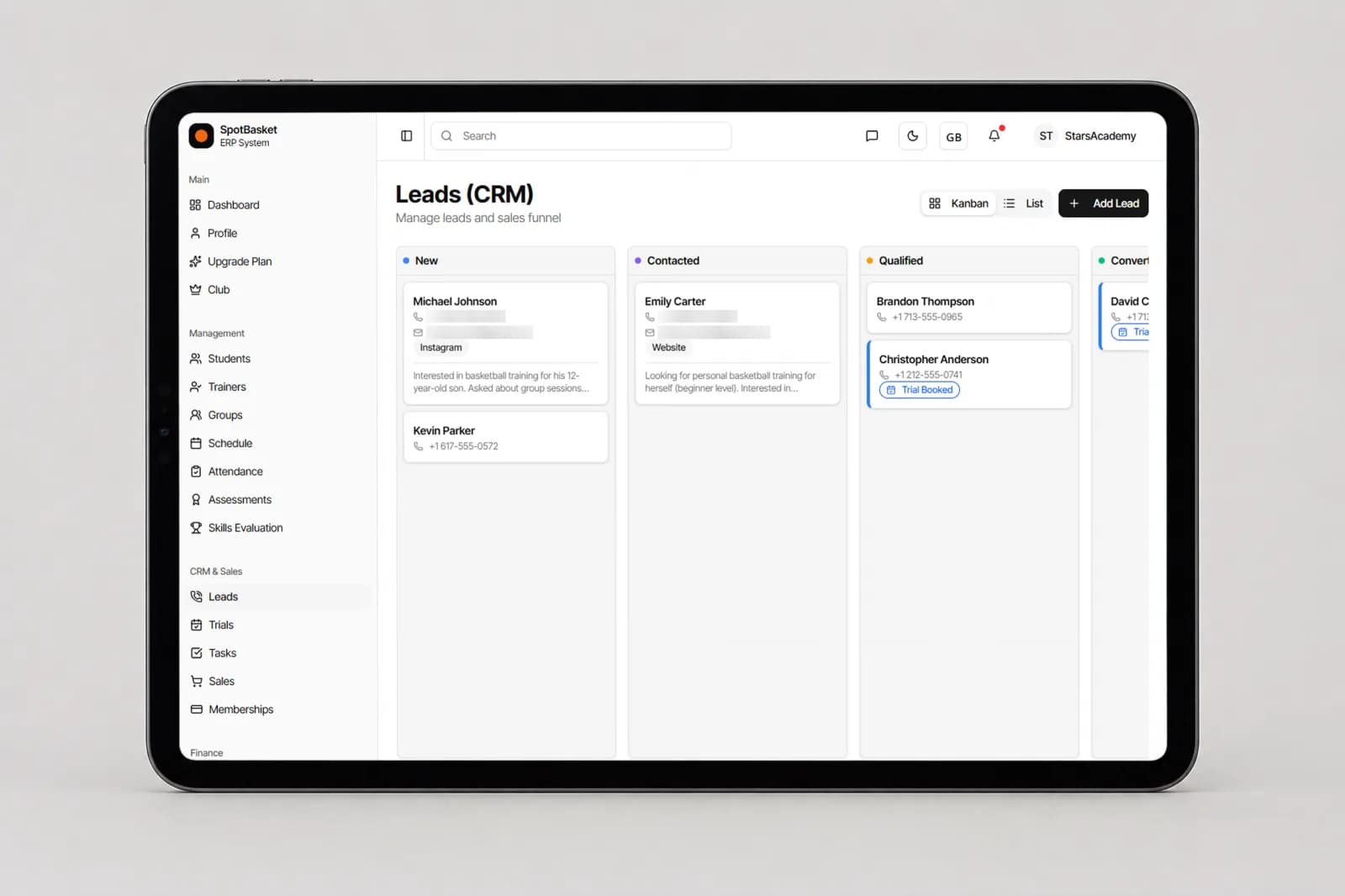
Drag leads through New, Contacted, Qualified, Converted and Lost, or switch to a sortable list.
The registration form on your club website creates a lead with parent and child details automatically.
Book a trial into an upcoming group practice or an individual session with a coach and location.
Mark the outcome of each trial and reschedule no-shows without losing the history.
See average and median reply time and how many leads are still waiting in New.
The dashboard flags leads that have waited more than 24 hours, and staff can get SMS alerts for new website leads.
Most enrollments start with a parent filling in a form. On a SpotBasket club website, the registration form asks for the parent's name, phone and email and the child's name, age and gender, then offers open trial slots so the family can book a first session right away. The submission appears in SpotBasket OS as a new lead, with bot protection to keep spam out.
Leads that come in by phone, at a tournament or through social media are added by hand with their source, so you can see which channels actually bring players. Each lead has contacts, notes and an assigned staff member, and staff can receive an SMS whenever a new website lead arrives.
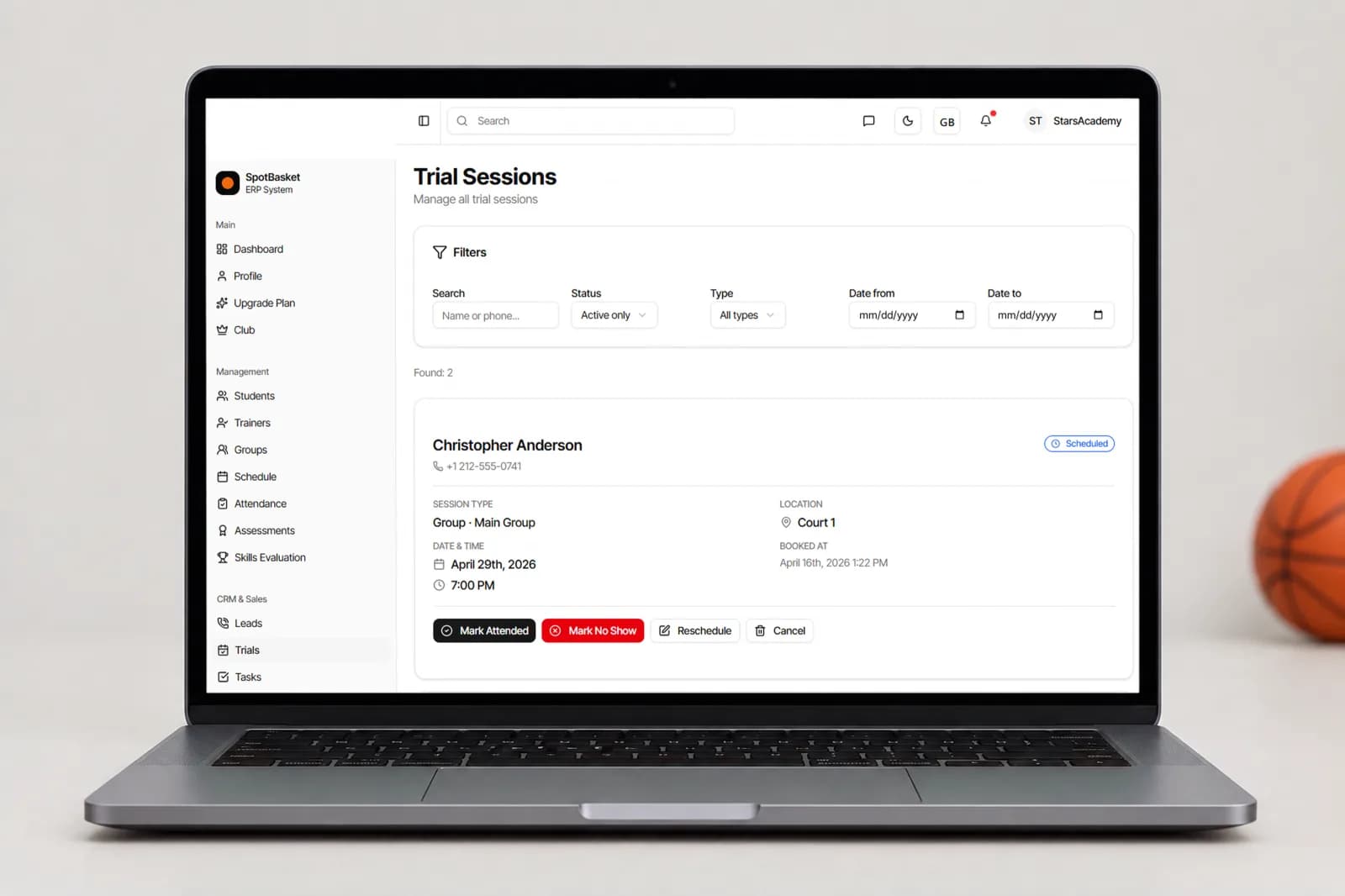
A trial is only useful if the family shows up to a session that exists. SpotBasket OS books trials into upcoming trainings from the next two weeks, as a group session or an individual session with a chosen coach and location. The coach sees the trial player on the session and marks them attended or no-show.
The trials page lists every booking with filters by status, type and date. No-shows can be rescheduled in one step and the lead card shows that the session was moved, so nobody has to guess what happened. Leads with a booked or attended trial are labeled on the board, making the next follow-up obvious.
Parents contact several programs at once, and the one that answers first usually gets the trial. SpotBasket OS stamps when a lead arrived and when it was answered, then shows average and median response time for any period, the number of leads in the period and how many are still unanswered.
Combined with the dashboard alert for leads waiting more than 24 hours and the Tasks module for follow-ups, it gives a director a simple weekly check: how fast did we reply, how many trials did we book, and how many became paying members once they converted into students.
| Without SpotBasket OS | With SpotBasket OS | |
|---|---|---|
| Collecting inquiries | Google Forms, DMs and voicemail | Website form and manual leads on one board |
| Booking a trial | Back-and-forth messages about times | Trial booked into an upcoming session |
| Tracking outcomes | Nobody knows who showed up | Attended, no-show and rescheduled statuses |
| Response speed | Unknown | Average and median reply time per period |
| Forgotten leads | Lost in an inbox | Dashboard alert after 24 hours |
Create your account at app.spotbasket.com and add your groups and schedule.
Publish your club website with the registration form so inquiries arrive as leads.
Contact new leads, book trials into upcoming sessions and move each lead forward.
Check response times, trial outcomes and conversions, and follow up on waiting leads.
The best CRM for sports academies connects inquiries to trial classes, schedules and memberships instead of living in a separate sales tool. SpotBasket OS does that: leads move on a kanban board, trials are booked into real sessions, and converted players continue in the same system with groups, attendance and billing.
Turn on the registration form in the SpotBasket Website Builder. Parents enter their details and their child's, then pick an open trial slot from your upcoming sessions or continue without one. The booking and the lead both appear in SpotBasket OS for your staff to confirm.
Yes, every lead has a source field, and leads from the club website registration form are recorded automatically. Review leads by source to see which channels bring families who book trials and enroll, and put your marketing time into the ones that work, whether that is the website, referrals or local events.
Mark the trial as a no-show, then reschedule it into another upcoming session in one step. SpotBasket OS keeps the history on the booking, so staff can see that the session was moved and follow up with the family. The lead stays on the board until it converts or is marked lost.
Yes, SpotBasket OS records when each lead was received and answered and shows average reply time, median reply time and the number of unanswered leads for any date range. The dashboard also flags leads that have waited more than 24 hours.
It covers the path from first inquiry to enrolled player: website registration form, lead pipeline, trial booking, conversion to a student, membership sale and payment. For season-wide registration with custom forms or waivers, check with us in a demo whether the current setup fits your process.
Tell us how your club works today. We will show the modules that matter to you — groups, schedule, payments, player development and coaching tools — in a 30-minute call.