Coaching tools
Basketball player evaluation that shows real development
Build your own evaluation forms, score individuals or a whole group in one sitting, and watch each player's results change across the season.
Build your own evaluation forms, score individuals or a whole group in one sitting, and watch each player's results change across the season.
SpotBasket Player Evaluation is the assessment toolkit in SpotBasket OS. Coaches create templates with weighted criteria scored as 1–10 ratings, times, distances, percentages or counts, then evaluate one player or a whole group. Results feed progress charts, skills radars and player profiles, alongside anthropometry and video-based skills reviews.
Define criteria for skills, physical fitness or game knowledge, with units, scoring direction and weights.
Score 1–10 ratings, sprint times in seconds, jump distances in centimeters, percentages or rep counts.
Evaluate one player, or open a whole group and enter everyone's results in one session.
See each player's last and best results, progress over time, a skills radar and side-by-side comparisons.
Players record and submit a skills test video; a coach scores it against a shared scale and adds notes.
Height, weight, wingspan and standing reach history sit next to skills and attendance on the student card.
A good basketball player evaluation form mixes subjective ratings with measurable tests. In SpotBasket OS you build it as a template: criteria such as ball handling, finishing, defensive stance or court vision scored from 1 to 10, next to lane agility in seconds, vertical jump in centimeters or free throws made out of 20.
Each criterion has a unit, a scoring direction, where higher is better, lower is better or it is only tracked, and a weight, so the total score reflects what your program values. Templates can be duplicated and adjusted for age groups, and the same template used all season makes results comparable from month to month.
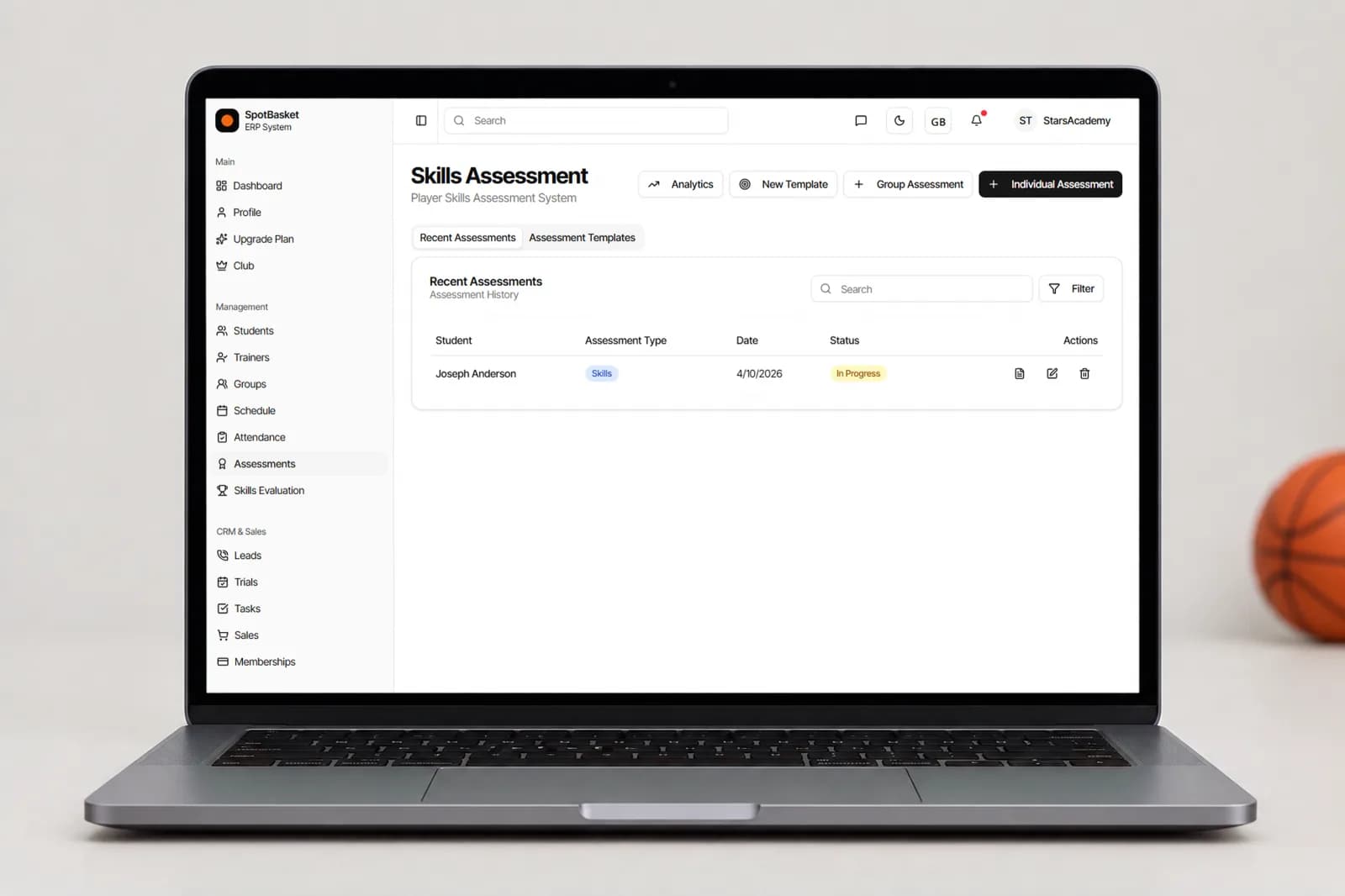
Tryouts and testing days are about speed. Choose a template, pick a group and SpotBasket OS lists every player so coaches can enter scores in a row instead of opening separate forms. Assessments can stay in draft or in progress while stations are still running and be completed once all results are in.
When the session ends, the numbers are already organized. Compare players on the same template, sort by total score and look at strengths and weaknesses before you set rosters. Every score is stored on the player's profile, so a tryout evaluation becomes the first data point in that player's development record.
Development is easier to talk about when it is visible. The analytics view shows each player's results history, last and best result per criterion, a progress chart and a skills radar, and lets you compare students on the same template. It is the conversation starter for end-of-season reviews with players and parents.
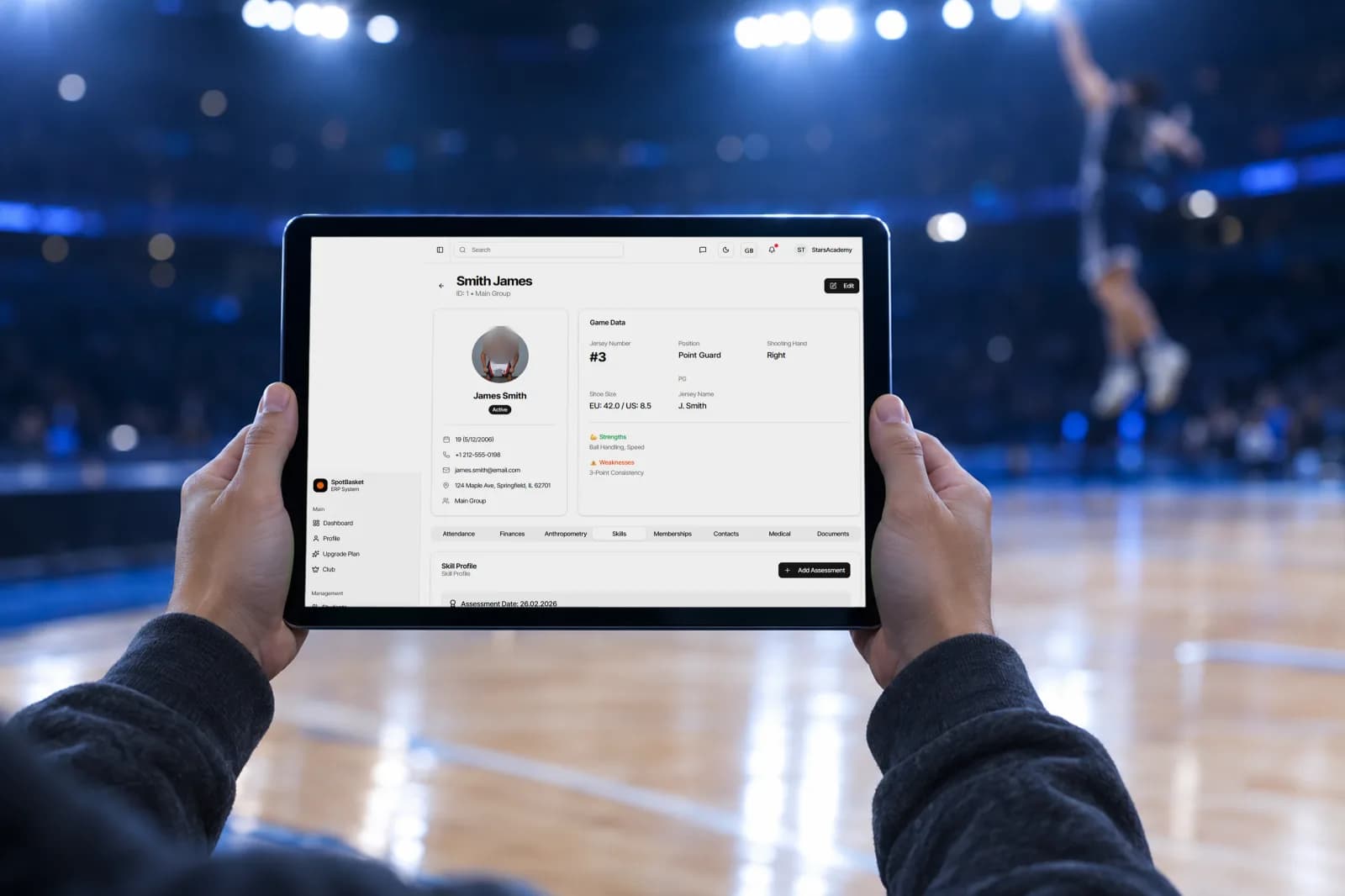
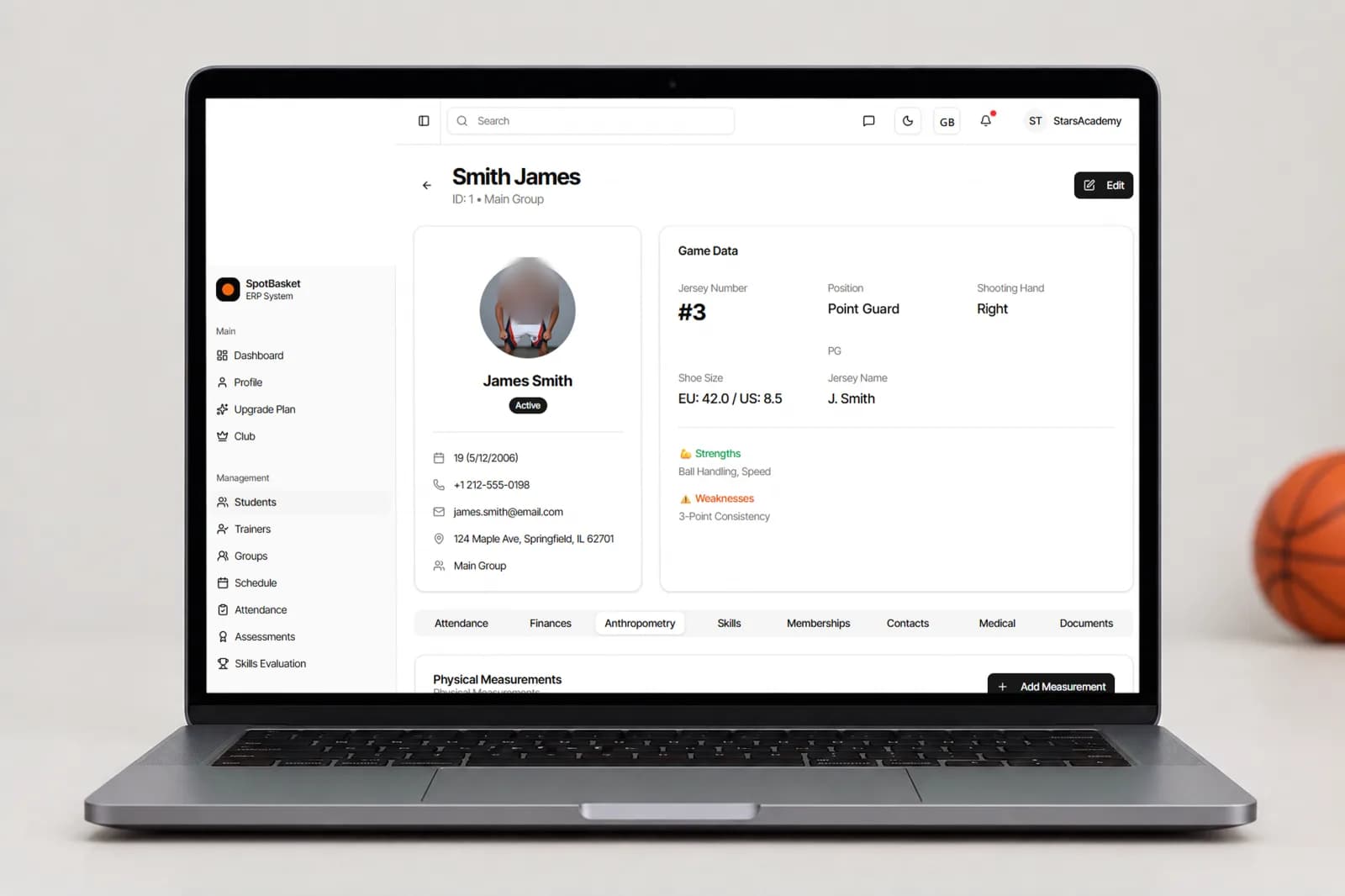
The student card adds context: anthropometry history for height, weight, wingspan and standing reach, a skills tab with ratings out of 10, attendance and notes. Growth spurts, missed weeks and improved scores sit on one screen, so coaches can tell whether a slump is about effort, availability or a player simply growing into a new body.
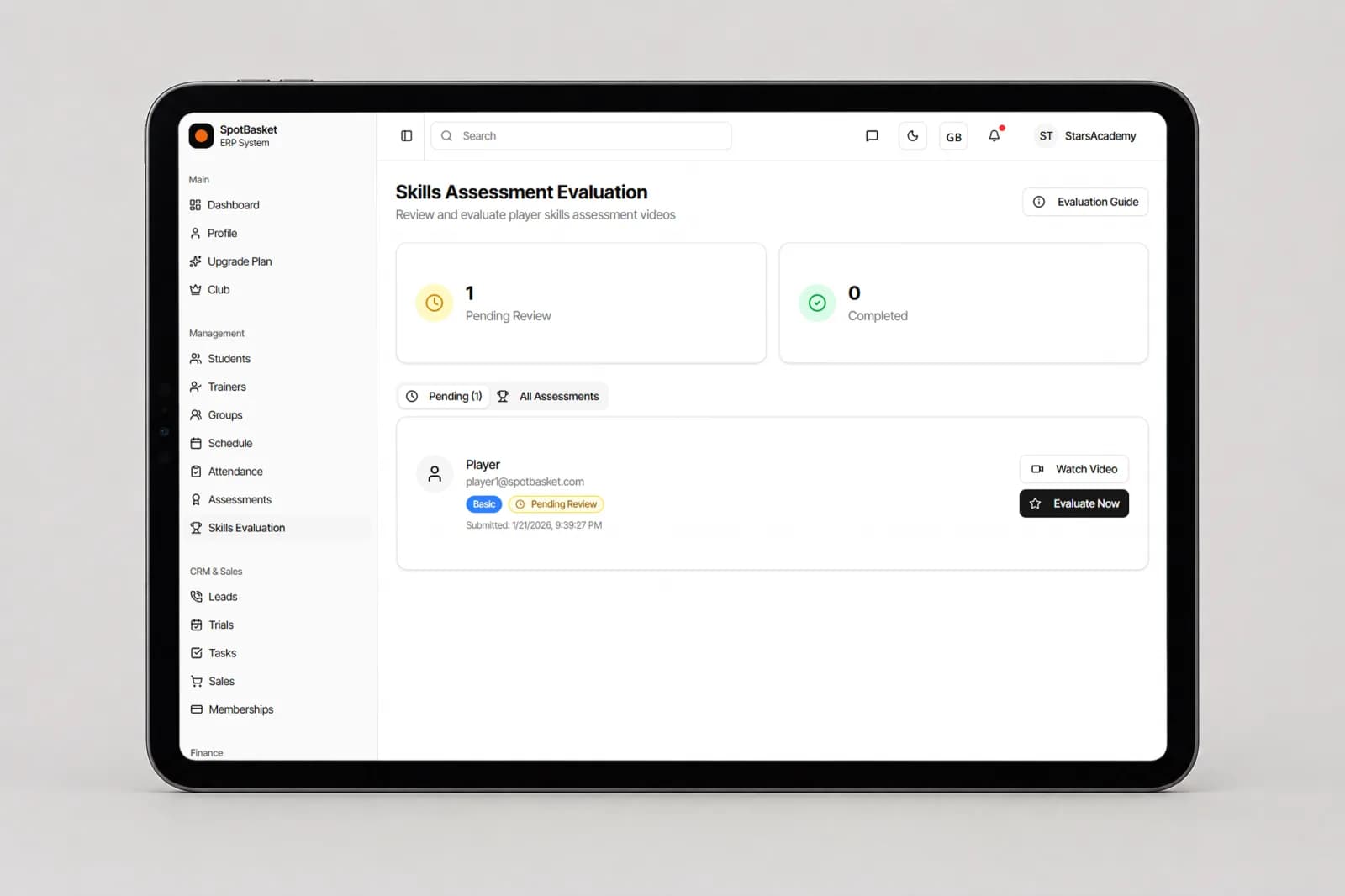
Not every evaluation needs a coach in the gym. With Skills Evaluation, a player chooses a level, watches the example video and the list of drills, then records and submits a test video. Coaches review submissions from a queue, filter by level and status, and score each parameter on a 0–10 scale with written definitions for every band.
The shared scale keeps scoring consistent between evaluators: same conditions, score execution rather than potential, one score per parameter and a short note with one strength and one priority. When the review is submitted, the player gets the total score and a certificate with its own ID.
| Without SpotBasket OS | With SpotBasket OS | |
|---|---|---|
| Evaluation forms | Printed sheets or a new spreadsheet each season | Reusable templates with weighted criteria |
| Tryout day | Clipboards, then hours of typing results | Scores entered for the whole group in one session |
| Comparing players | Manual sorting and color coding | Side-by-side comparisons and total scores |
| Tracking growth | Old files that nobody opens | Progress charts, best results and a skills radar |
| Measurements | Height and wingspan in a separate notebook | Anthropometry history on the student card |
| Parent conversations | Opinions without numbers | Results history to show at a review meeting |
Create your account at app.spotbasket.com and add or import your players.
Open Assessments, create a template and add criteria with units, weights and scoring direction.
Pick a player or a group, enter scores and complete the assessment when every result is in.
Use analytics and the student card to compare results over time and plan each player's next step.
Evaluate basketball players with a consistent form that combines skill ratings and measurable tests, repeated on a schedule. In SpotBasket OS you build that form once as a template, score players individually or as a group, and compare results over time with progress charts, skills radars and side-by-side comparisons.
Yes, SpotBasket OS lets you create evaluation templates and reuse them. Add criteria such as shooting, ball handling or defense on a 1–10 scale, plus timed or measured tests, set weights, and duplicate the template for different age groups. Every evaluation run on the same template is directly comparable.
Run a tryout evaluation by choosing a template, selecting the tryout group and entering each player's scores station by station. SpotBasket OS keeps the assessment in progress until you complete it, then shows total scores and comparisons so coaches can make roster decisions from the same data.
Yes, every assessment is stored on the player's profile. The analytics view shows results history, last and best result, a progress chart and a skills radar. The student card adds anthropometry such as height, wingspan and standing reach, plus attendance, so you can see what drives a player's progress.
Yes, with the Skills Evaluation module. Players choose a level, follow the example video and drill list, record their test and submit it. A coach scores each parameter on a 0–10 scale with notes, and the player receives a total score and a certificate once the review is complete.
Players and parents have their own SpotBasket OS accounts with a progress section. What they see depends on how your club uses it, and many coaches also share results during review meetings using the charts from the analytics view. Players and parents also get the SpotBasket app.
Tell us how your club works today. We will show the modules that matter to you — groups, schedule, payments, player development and coaching tools — in a 30-minute call.