Coaching tools

Basketball playbook maker to draw, animate and share your plays

Draw a set on a half or full court, animate it step by step and send your team a link that plays it in 3D. Your playbook sits next to your drills, practice plans and rosters.

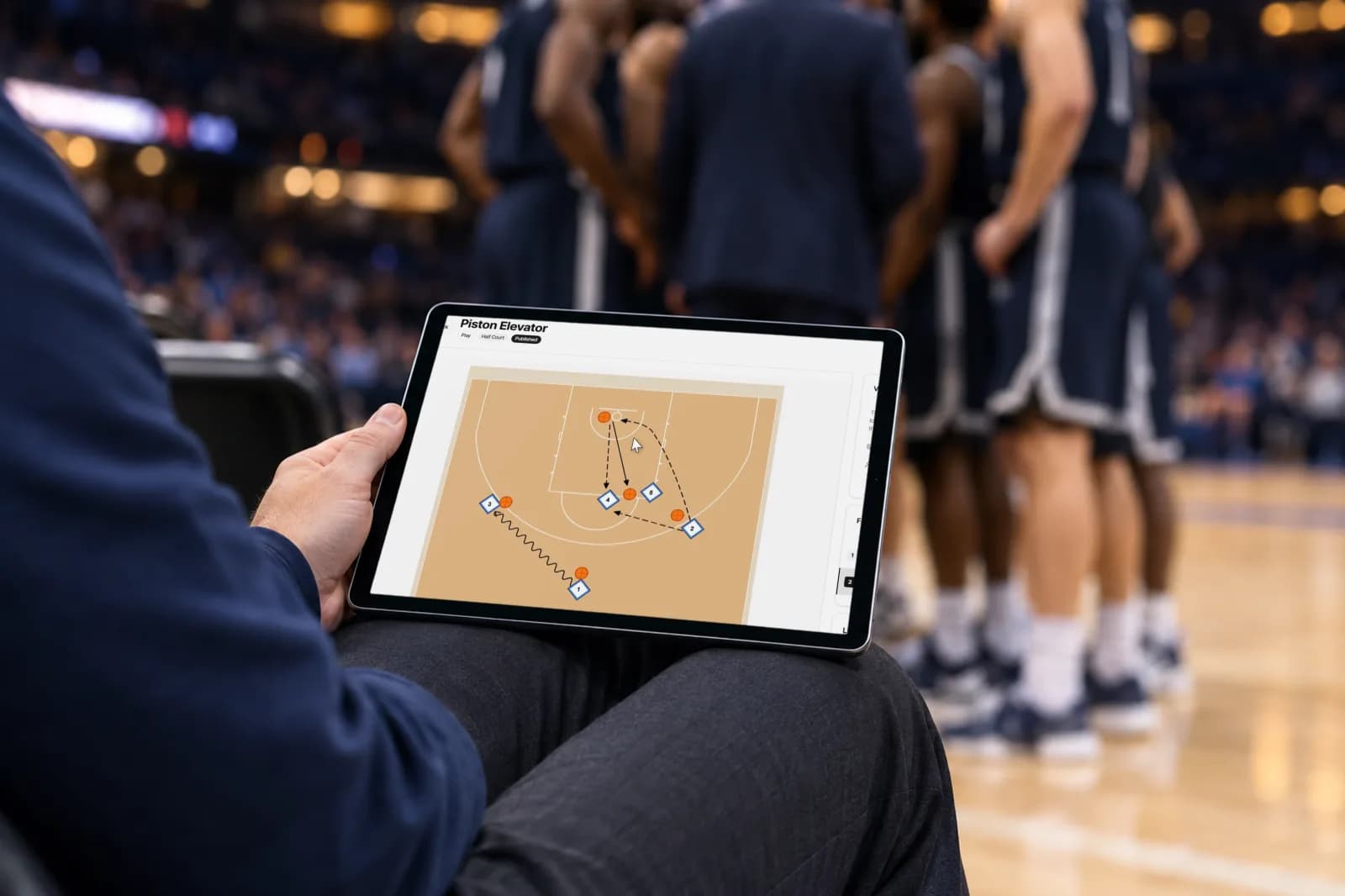
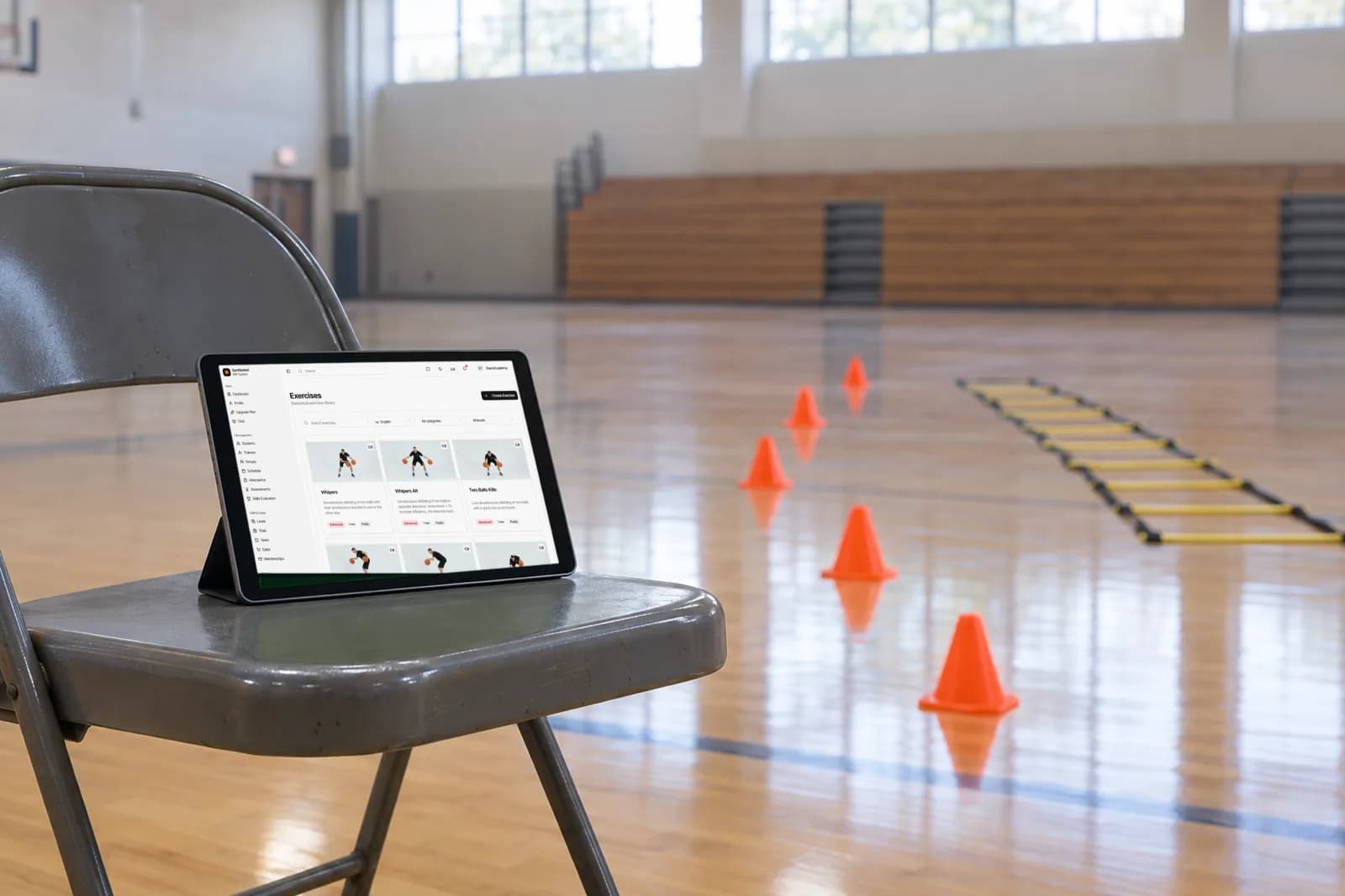
SpotBasket basketball playbook maker on an iPad at courtside showing an animated half-court play
In short

SpotBasket Playbook Maker is an online basketball play designer inside SpotBasket OS. Coaches place offense, defense, the ball and cones on a half or full court diagram, draw cuts, passes and screens across frames, then play the set back as an animation or in a 3D viewer that players open from a shared link.

What you can do

Half and full court

Pick a half or full court in vertical or horizontal orientation, then place numbered offense and defense players, the ball and cones.

Frame-by-frame animation

Build a play as a sequence of frames with a title, instructions and duration for each step. Playback animates movement between them.

Cuts, passes and screens

Draw movement with straight, curved and dashed lines, mark passes and screens, and add text, circles and rectangles for coaching notes.

3D play viewer

Open a published play in a 3D viewer where animated players run the set on a basketball court, so athletes see spacing and timing.

Share with a link

Publish a play, decide whether coaches and players can see it, and share a public link that opens in any browser without a login.

Linked to your drills

Attach plays to exercises in the drill library so the diagram and the drill go into practice together.

Draw

How do you draw basketball plays online?

Open a new playbook, give it a name, choose the court type and start placing players. Offense and defense get their own colors, numbers and position labels such as PG or C, and you can mark who has the ball. Movement tools cover straight and curved cuts, dashed lines, passes and screens, while cones, chairs, pads and hurdles handle drill setups.

Every change is saved automatically, and undo and redo work the way you expect. Because the editor runs in the browser, you can sketch a set on a laptop in the office and show it on a tablet at courtside without installing anything. It replaces the dry-erase coach board without losing what you drew.

  • Half or full court, vertical or horizontal
  • Offense, defense and neutral players with numbers and labels
  • Lines, curves, passes, screens, text and shapes
  • Cones, chairs, pads and hurdles for drill diagrams
Drawing a basketball play online in the SpotBasket playbook maker with passes and screens
Animate

Animated basketball plays in 2D and 3D

A play is a series of frames. Add a frame, move the players to their next spots and the playback animates the transition, so the timing of a cut or a screen is visible instead of implied. Each frame can carry its own title, written instructions and duration, which turns a diagram into a short lesson players can replay on their own.

When a play is published, SpotBasket OS can show it in a 3D viewer: animated players run the set on a rendered basketball court, and the ball follows the passes you drew. Players who struggle to read circles and arrows on a basketball play diagram usually understand spacing faster when they watch it from a player's-eye angle.

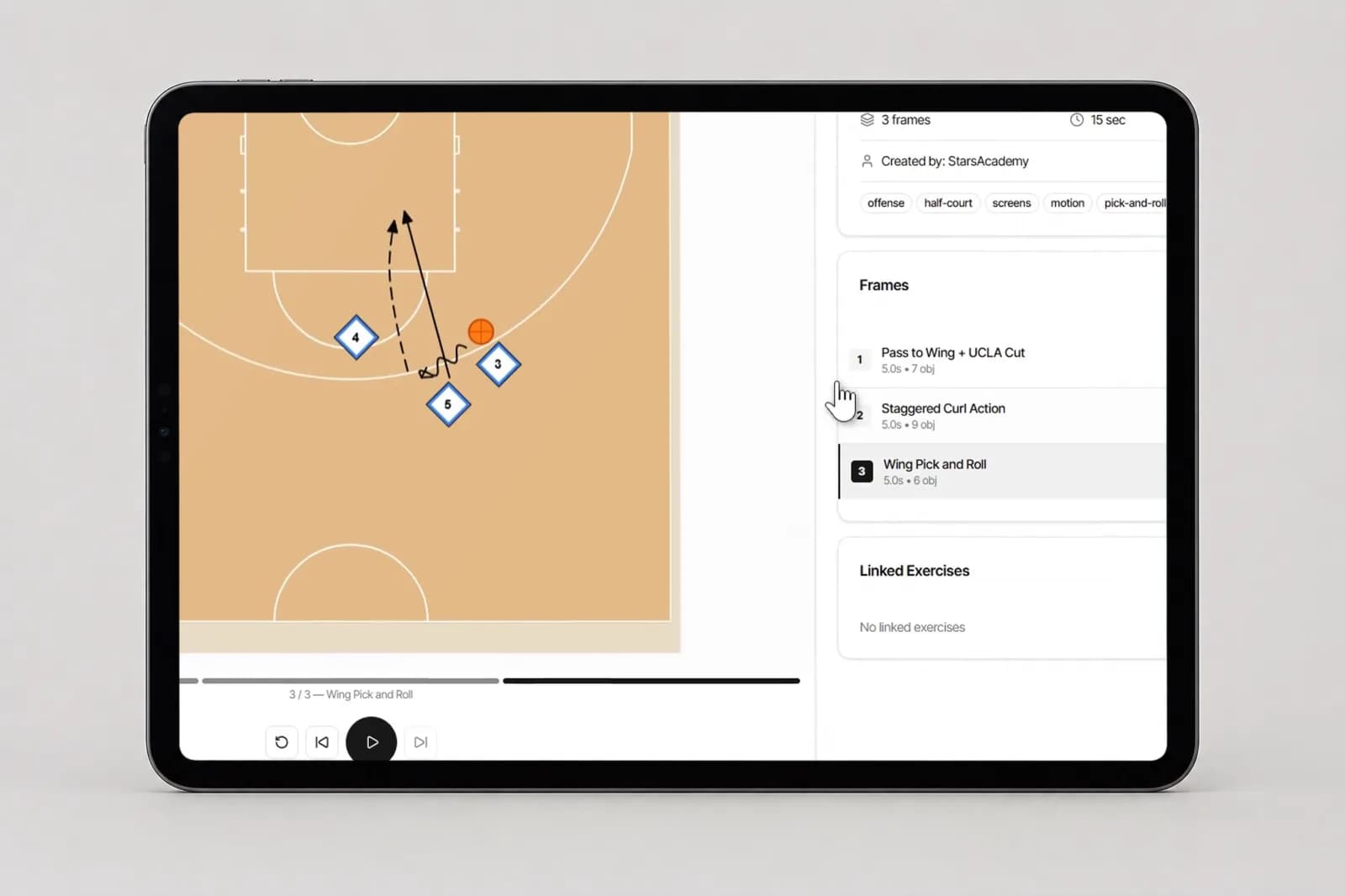
3D basketball play viewer in SpotBasket OS with animated players running a set
Organize

A tactics board your whole staff can use

Plays are stored in a shared playbook, not on one coach's phone. Label each one as a play or an exercise, add tags like pick-and-roll, zone or press break, and filter the list when you need a specific set before a game. Duplicate a play to build variations, or create a translated copy for a Spanish- or Russian-speaking group.

Access settings decide who sees what. Keep a play private to your coaching staff while you work on it, then turn on player access or publish a public link once it is ready. Attached to drills in the drill library, the same diagram shows up wherever that drill is used, so your practice plans stay consistent.

  • Search and filter plays by type, tags and language
  • Duplicate a play or save it as a translation
  • Separate access for coaches and players
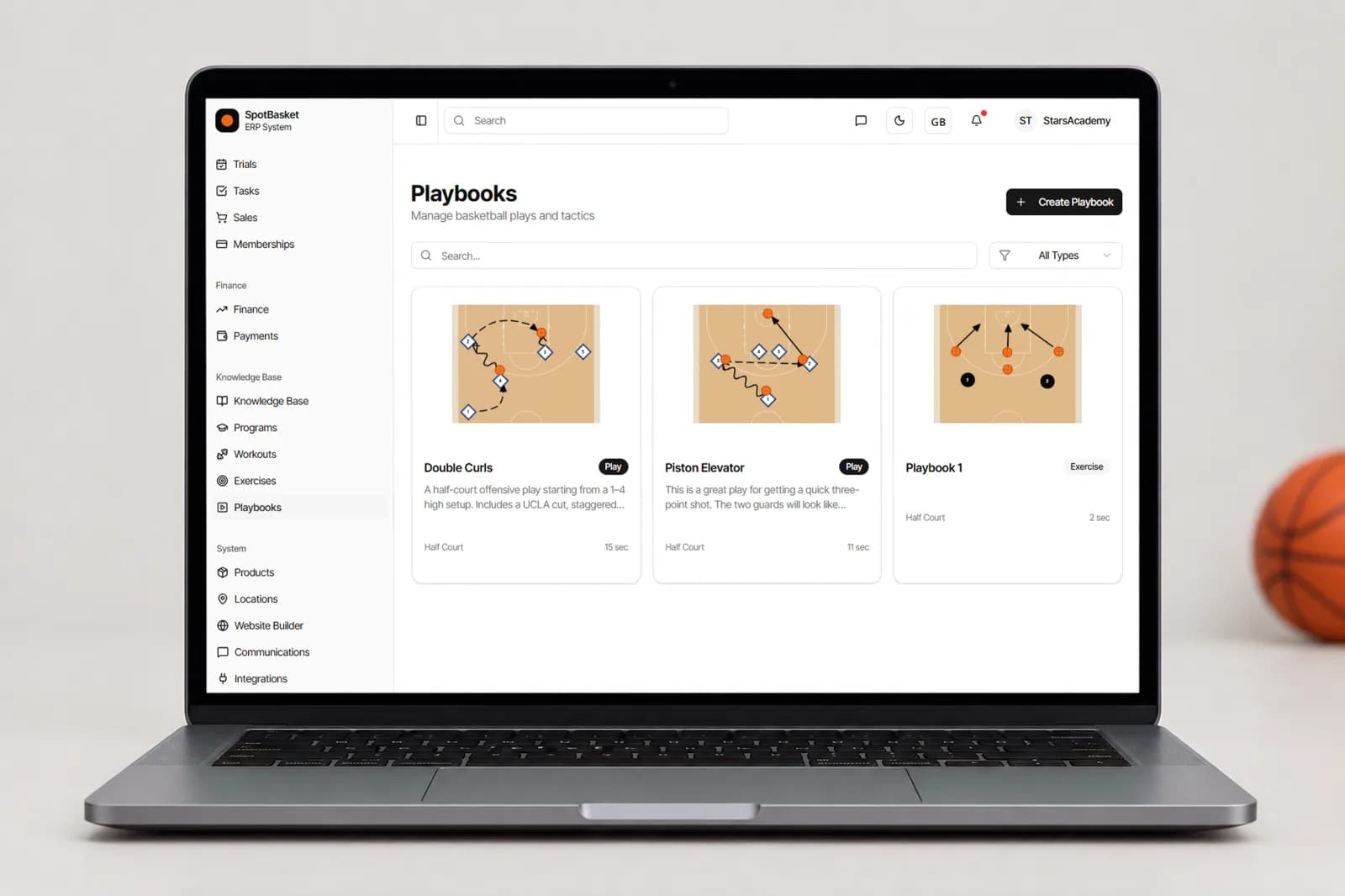
Basketball playbook library in SpotBasket OS with tagged plays and access settings

Whiteboard and clipboard vs. SpotBasket Playbook Maker

Without SpotBasket OSWith SpotBasket OS
Drawing a playMarker on a whiteboard, erased after practiceDrawn once in the editor and saved to the club playbook
Showing timingCoach walks players through it again and againFrame-by-frame animation shows who moves when
Sharing with playersBlurry photo of the clipboard in a group chatA link that opens the play in 2D or 3D in any browser
Finding a play laterScrolling through a notebook or a camera rollSearch by name, type and tags
Connecting plays to practiceDiagram and drill notes kept in different placesPlays attached to drills in the drill library
Changing a setRedraw it from scratchEdit one frame; changes save automatically

How to get started

  1. 01

    Register for free

    Create your account at app.spotbasket.com and set up your club or coach profile in a few minutes.

  2. 02

    Create a playbook

    Open Playbooks, choose a name, a type, a court and an orientation, and add tags so the play is easy to find later.

  3. 03

    Draw and animate

    Place players and the ball, draw the first action, then add frames for each step with short instructions.

  4. 04

    Share with your team

    Publish the play, turn on player access or copy the public link, and let players watch it in 2D or 3D.

Frequently asked questions

How do I draw basketball plays online?

+

Sign in to SpotBasket OS, open Playbooks and create a new play on a half or full court. Drag offense and defense players and the ball onto the court, draw cuts, passes and screens, and add a frame for each step. The editor runs in the browser and saves automatically, so there is nothing to install.

Is there a free basketball playbook app?

+

You can start SpotBasket OS for free, and the Playbook Maker is part of the system rather than a separate purchase. Register at app.spotbasket.com to try it. Paid plans add more students, coaches and modules as your program grows — see the pricing page for what each plan includes.

Can players see plays on their phone?

+

Yes, players can open plays on a phone in any modern browser. Coaches either enable player access, so the play appears in the player's SpotBasket OS account, or publish it and share a public link. The link shows the animated play and a 3D view without requiring the player to log in.

Can I animate basketball plays in 3D?

+

Yes, published plays can be viewed in 3D. SpotBasket OS takes the frames you drew in 2D and plays them back with animated players on a rendered basketball court, following the same movements and passes. You draw once in the 2D editor; the 3D view is generated from that diagram.

What is the difference between a playbook maker and a coach board?

+

A coach board or tactics board is for explaining a play in the moment, and it is erased afterward. A playbook maker saves each play, animates it step by step and lets you share it. SpotBasket Playbook Maker works as a digital coaching board at courtside and keeps every set in your club's playbook.

Can I reuse plays across teams and languages?

+

Yes, a play saved in SpotBasket OS is available to your whole coaching staff. You can duplicate it to build a variation for another team, or create a translated copy in English, Spanish or Russian linked to the original. Tags and filters keep large playbooks easy to search.

Book a demo

See SpotBasket OS on your own club

Tell us how your club works today. We will show the modules that matter to you — groups, schedule, payments, player development and coaching tools — in a 30-minute call.

  • 30-minute live walkthrough
  • Set up with your groups and plans
  • Free to start, no card needed
© 2026 SpotBasket · Los Angeles, CA. All rights reserved.